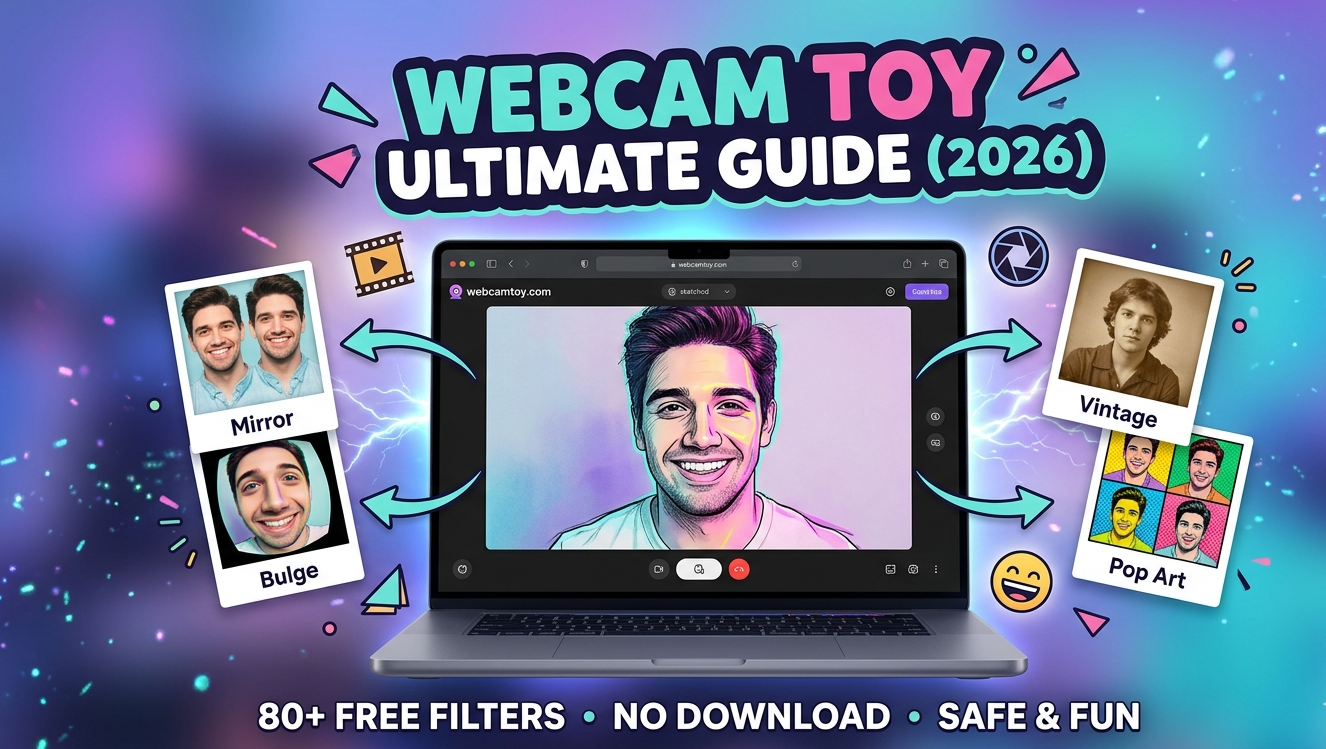
In an age dominated by high-end smartphones and AI-powered filters, there is a certain undeniable charm in the simplicity of “old-school” internet tools. Webcam Toy, a legendary browser-based application, remains the gold standard for users seeking quick, creative, and completely free photo effects without the hassle of downloads or account registrations.
Whether you are looking to capture a nostalgic “2010s-style” selfie or need a versatile tool for creative projects, this comprehensive guide covers everything you need to know about Webcam Toy in 2026.
What is Webcam Toy?
Webcam Toy is a free, web-based photo booth application that allows users to take photos using their computer’s webcam and apply over 80 real-time visual effects.
Launched in the early 2010s by Neave Interactive, the platform quickly became a viral sensation due to its “no-friction” user experience. Unlike modern competitors that often require monthly subscriptions or personal data, Webcam Toy stays true to its roots: it is lightweight, runs entirely in your browser, and focuses purely on the joy of photography.
Key Features at a Glance:
- 80+ Unique Filters: From vintage film styles to trippy psychedelic distortions.
- No Installation Required: Works directly in Chrome, Safari, Edge, and Firefox.
- Privacy-First Design: Photos are processed locally and are not saved to a server unless you choose to share them.
- Keyboard Shortcuts: Intuitive controls for rapid-fire photo sessions.
- Social Integration: Easy options to download images or post directly to platforms like Twitter (X) or Facebook.
How to Use Webcam Toy: A Step-by-Step Guide
Using the tool is incredibly straightforward, which is why it remains a favorite for students, casual users, and even professional creators looking for a specific “lo-fi” aesthetic.
1. Access the Site
Navigate to webcamtoy.com. You will be greeted by a minimalist interface and a large “Ready? Smile!” button.
2. Grant Permissions
When you click the button, your browser will ask for permission to access your camera.
Note: For your security, always ensure you are on the official HTTPS site before granting camera access.
3. Browse Effects
Once your camera feed is live, use the left and right arrow keys (or the onscreen buttons) to cycle through the 80+ effects. You can see a live preview of every filter before taking the shot.
4. Capture and Save
Click the Camera Icon to take a photo. A 3-second countdown will begin (which you can toggle in the settings). After the photo is taken, you can:
- Download: Save the image directly to your device.
- Share: Post to social media.
- Discard: Press “Back” to try a different pose.
Exploring the Most Popular Effects
The diversity of filters is where Webcam Toy truly shines. The effects are categorized into several “vibes” that cater to different creative needs.
Mirror and Symmetry Effects
These are the most iconic filters on the platform. They include:
- Mirror: Splits the screen vertically to create a symmetrical reflection.
- Quad Cam: Captures four different shots in one frame.
- Kaleidoscope: Creates a shifting, geometric pattern using your live feed.
Distortions and “Funhouse” Filters
If you want to get a laugh, these are the go-to options:
- Bulge & Pinch: Distorts your face to make it look giant or tiny.
- Swirl: Twists the image into a spiral.
- Underwater: Adds a wavy, liquid ripple effect to the entire screen.
Artistic and Retro Styles
For those looking for a more “aesthetic” look, Webcam Toy offers:
- Sketch: Turns your video feed into a pencil drawing.
- Neon: Highlights edges with vibrant, glowing colors.
- Vintage/Retro: Adds grain and sepia tones reminiscent of 1970s film.
- Pop Art: Mimics the classic Andy Warhol four-pane color style.
Technical Specifications and Compatibility
In 2026, compatibility is more important than ever. Fortunately, Webcam Toy’s lightweight architecture makes it one of the most accessible tools on the web.
| Feature | Specification |
| Platform | Web-based (Browser) |
| Compatible OS | Windows, macOS, Linux, ChromeOS |
| Supported Browsers | Chrome, Firefox, Safari, Microsoft Edge |
| Mobile Support | Limited (Works on most Android/iOS mobile browsers) |
| Image Format | JPG |
| Price | 100% Free |
Why Webcam Toy Still Matters in 2026
You might wonder why a tool from 2011 is still relevant when we have apps like Instagram, TikTok, and Snapchat. The answer lies in utility and nostalgia.
- Zero Barrier to Entry: You don’t need to create an account, verify an email, or watch a 30-second ad just to take a photo.
- The “Indie-Web” Feel: As the internet becomes more corporate and “locked down,” Webcam Toy represents a simpler era of the web where tools were built just for fun.
- Educational Use: It is a favorite in schools and computer labs because it doesn’t require software installation, making it safe for managed devices.
- Creative “Lo-Fi” Aesthetic: Digital artists often use Webcam Toy to get a specific “early internet” look that high-resolution AI filters often fail to replicate accurately.
Safety and Privacy: Is It Secure?
Privacy is a valid concern when granting any website access to your camera. Webcam Toy is widely considered safe for the following reasons:
- Local Processing: The app uses Flash-free technology (HTML5/Javascript) to process filters directly in your browser. This means your video stream isn’t being sent to a remote server.
- No Data Harvesting: Since there are no accounts, the site doesn’t collect your name, email, or phone number.
- HTTPS Encryption: The site uses standard encryption to ensure your connection is private.
Pro-Tip: Always remember to close the browser tab once you are finished to ensure the camera is fully deactivated.
Best Alternatives to Webcam Toy
If you are looking for more advanced features like video recording or AI background removal, you might consider these alternatives:
- Snap Camera (Legacy/Community Versions): Offers the most advanced AR “Lenses” and face tracking.
- Photo Booth Pro: A powerful Windows-based app that includes video recording and HD effects.
- ManyCam: A professional-grade tool used for live streaming that allows for multiple camera inputs and complex overlays.
- YouCam Perfect: A mobile-first alternative that focuses on “beauty” filters and AI-driven retouching.
Conclusion: The Ultimate Quick-Capture Tool
Webcam Toy is a rare gem in the digital world—a tool that does one thing and does it exceptionally well. It strips away the complexity of modern photography apps and returns to the basics: Having fun with your camera.



Leave a Reply